Turn your couple photo into a Radha–Krishna portrait
One prompt, one clear photo, and a few minutes. Your faces stay yours — everything around them becomes Vrindavan.
What it does
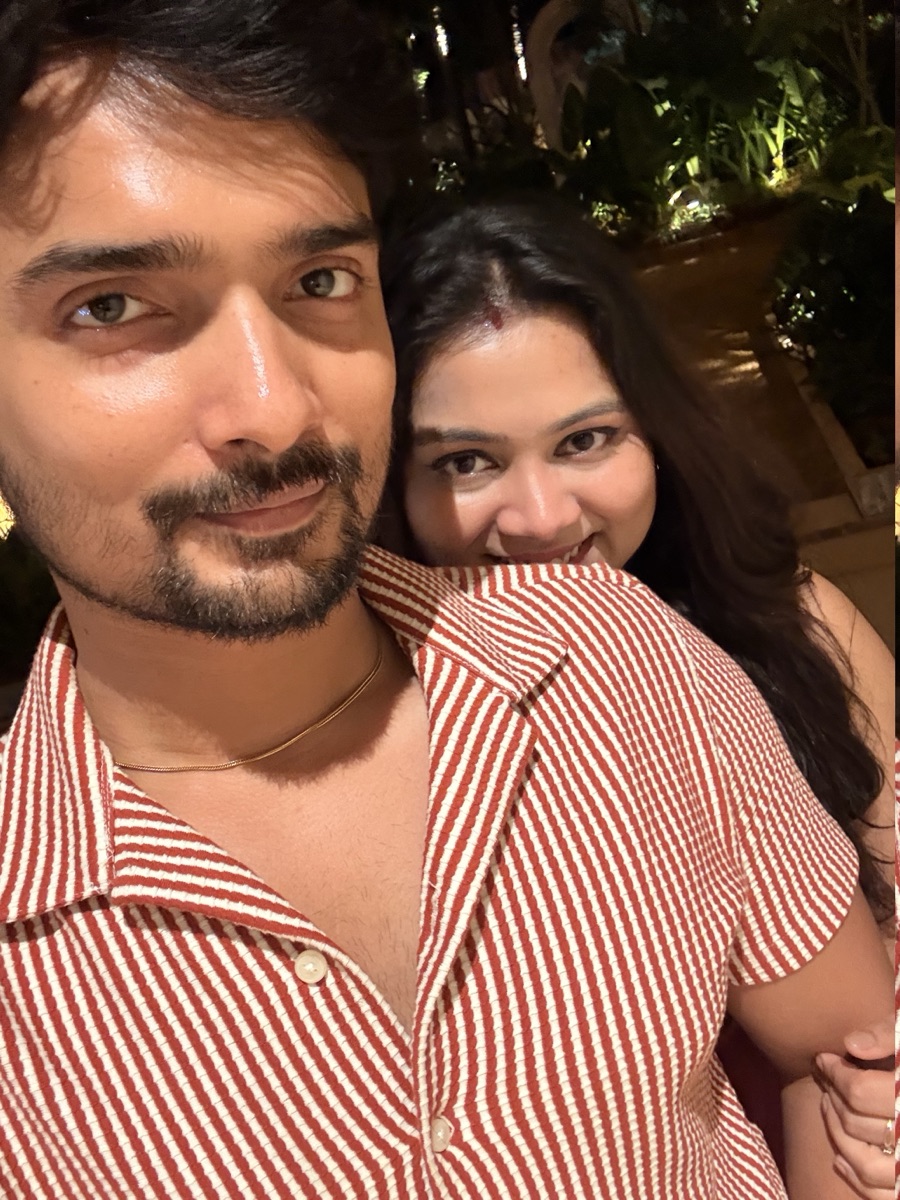
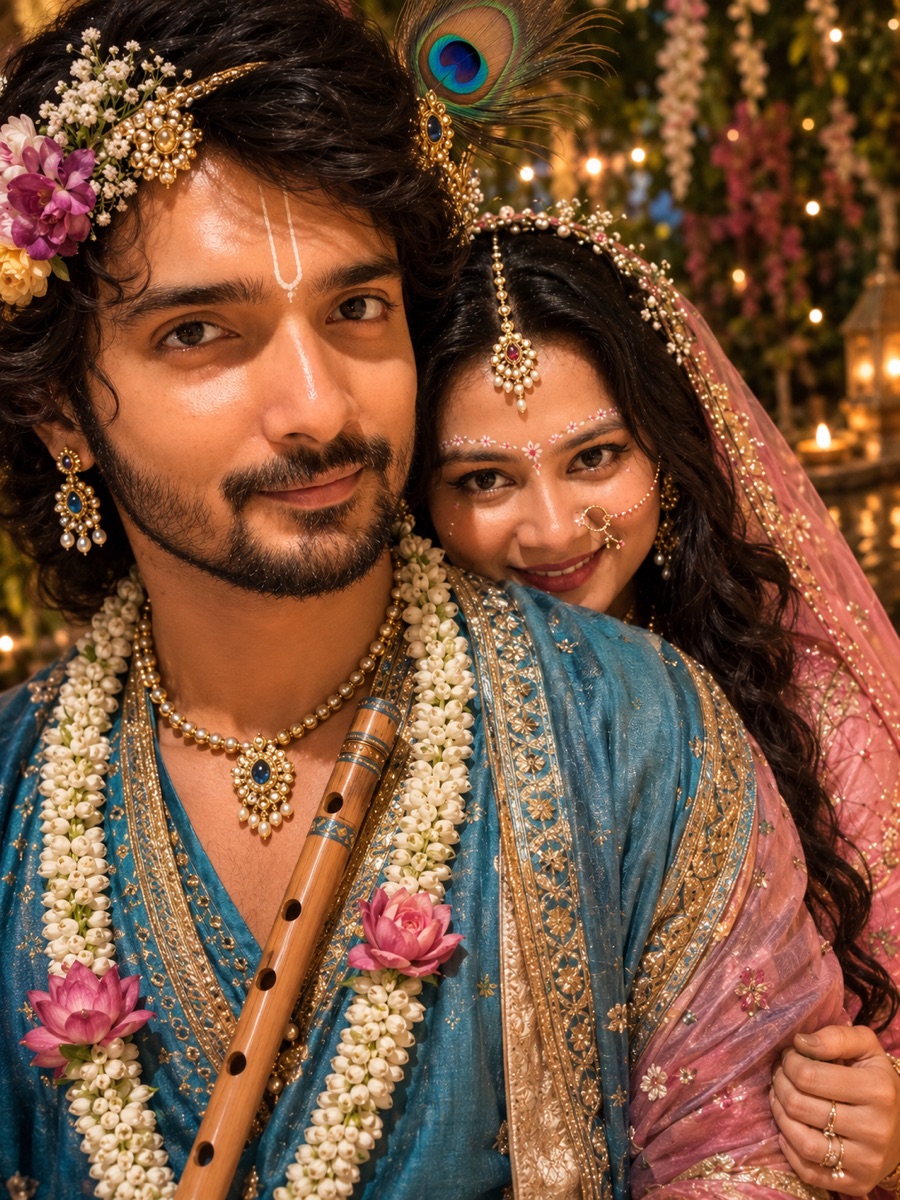
A real pair — same two people, same recognisable faces.
See it in motion
Reel by @sujata__behera.
The prompt
Transform this photo into a realistic Radha–Krishna-inspired couple portrait. Do not change our facial features, face shape, skin tone, age, or expressions — keep both faces clearly recognizable. Keep our original pose and closeness; only restyle our clothing, hair, accessories and the background. The person on the left: Krishna-style wavy hair, peacock-feather mukut, tilak, keep his beard and moustache, blue and gold traditional attire, jewellery, a jasmine flower garland and a bamboo flute held naturally. The person on the right: Radha-style long wavy hair with flowers, maang tikka, nath, traditional gold jewellery, elegant soft makeup, pink and gold traditional attire with a sheer veil. Background: a dreamy Vrindavan garden with flowering vines, clay diya lamps and warm golden light, gently blurred. Match the light on our faces to the golden background so it blends naturally. Keep everything photorealistic, elegant and cinematic, framed as a close-up portrait like the original.
Transform this photo into a realistic Radha-Krishna-inspired couple portrait. Keep our faces and identities recognizable. Change our outfits, hair, makeup, and accessories to traditional Radha-Krishna attire. Give the man Krishna-style wavy hair, a peacock-feather mukut, tilak, blue traditional clothing, jewelry, flower garland and flute. Give the woman Radha-style long wavy hair, flowers, traditional jewelry, nath, elegant makeup, pink traditional attire and veil. Change the background to a beautiful dreamy Vrindavan garden with flowers, diyas and warm golden lighting. Also change our pose to a natural, graceful Radha-Krishna pose. Keep everything photorealistic, elegant and cinematic.
Start with the refined prompt. The shorter one is what we first used — faster to tweak, a little less predictable on faces.
How to run it
Pick the photo. Choose one where both faces are sharp, well-lit, and looking toward the camera. Front-on beats side profiles.
Upload and paste. Open ChatGPT (or any image model that takes a reference photo), attach the picture, and paste the prompt.
Nudge it. If a face drifts, reply: “Keep the faces exactly as in my photo, only change clothing and background.” Ask for one change at a time.
For a better result
- Higher-resolution photos hold likeness far better than screenshots.
- If the model swaps who is who, name it: “the person on the left is the man.”
- Add a detail you want: “golden hour,” “soft-focus background,” “she wears a red and gold saree.”
- Generate 2–3 versions and keep the one where the faces feel most like you.
- Two people is the sweet spot — group photos rarely hold the pose.
On likeness: AI keeps faces close, not perfect. Treat the result as a stylised portrait, not a photograph.
On sharing: the photos here are only public because we're happy for them to be. Use a picture you both feel the same way about.
Example: our own photo.